
Fintech is transitioning retailers from the Legacy Portal to the new Fintech Portal, a unified platform designed to make invoice management faster, easier, and more secure. The new portal will continue to support both your alcohol and non-alcohol invoice management needs.
Why We're Upgrading
We’re evolving our platform to better support your growing business and to deliver a more powerful, unified experience across Fintech solutions.
Enhancements include:
- Faster workflows with a modern, intuitive interface
- Simplified vendor management and onboarding
- Enhanced reporting with improved filters and better insights
- Stronger security and access controls
- Flexible access across desktop, tablet, and mobile
- Access to up to 15 months of invoice and payment history
This upgrade reflects our continued commitment to delivering solutions that make your work easier, more efficient, and more reliable.
What to Expect
💡 Migration occurs in phases. Admin users in the Legacy Portal will receive email notifications and in-product prompts when their account is ready migration. If migration communications have not been received, no action is required at this time.
Existing vendor relationships, invoice and payment history, and back-office integrations will automatically move with your account.
There are a few differences in the new Fintech Portal to be aware of:
- Vendor IDs: If your organization uses vendor IDs, the new portal helps reduce errors and manual work by requiring a vendor id during vendor setup.
- Self-service bank filter testing: You no longer need to contact support to test bank filters when adding payment methods.
- User Types vs. User Rights: User access and permissions are referred to as User Types rather than User Rights. Learn more about User Types in the Fintech Portal.
Migration Process
Admins will receive email notifications and in-product prompts once the account is scheduled for migration. The migration process typically takes only 5-10 minutes.
Once the migration window ends, the Legacy Portal will no longer be accessible and account setup will need to be finished in the new Fintech Portal.
Before You Migrate
To ensure a smooth transition:
- Confirm your Admin users have access to the legacy portal.
- Validate email addresses for all appropriate contacts to ensure delivery of relevant communications.
- Identify any users who will need access after migration.
- Review any custom reports, spreadsheets, or macros that use exported report data.
- Notify internal stakeholders who regularly access reporting or invoice history.
- Review any internal documentation that references Legacy Portal navigation.
How to Migrate
Once your migration window opens:
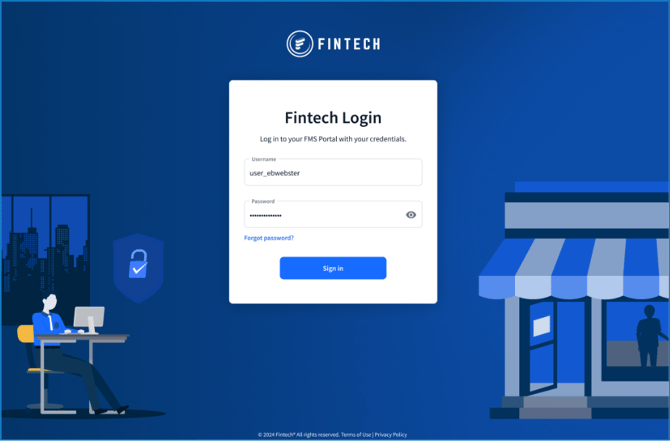
- Log into the Legacy Portal with your existing credentials:
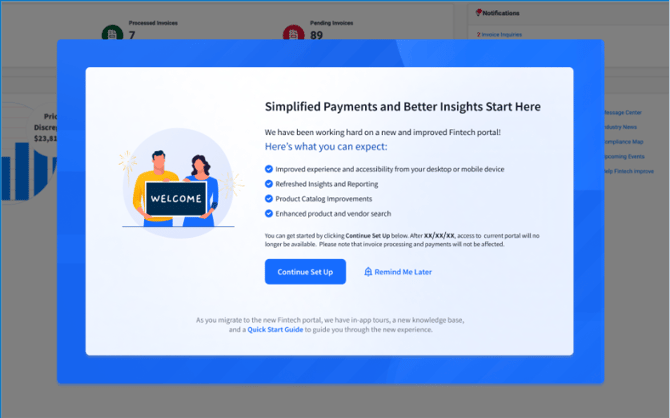
- Click Continue Set Up:
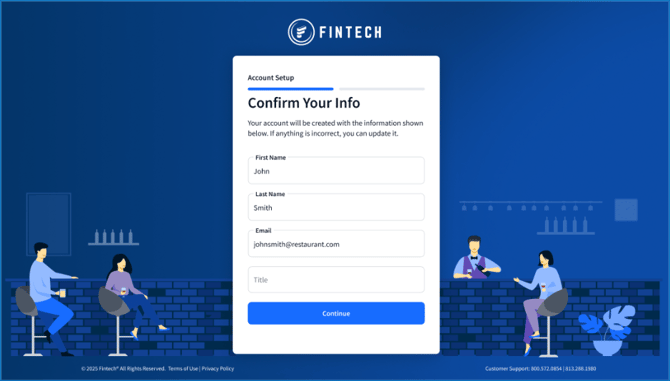
- Confirm your account details, then click Continue:
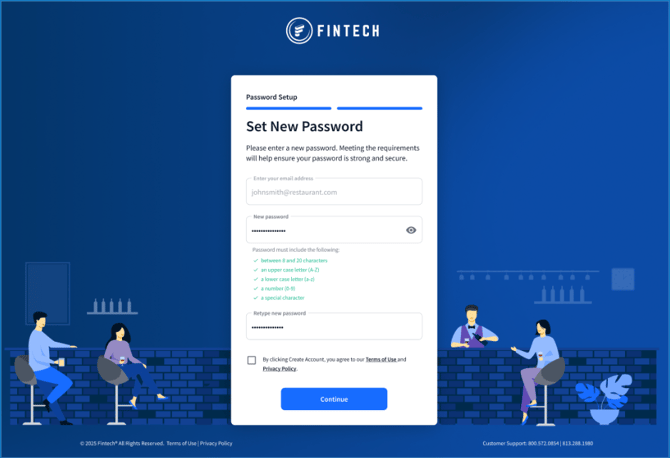
- Create a password for the new Fintech Portal, then click Continue:
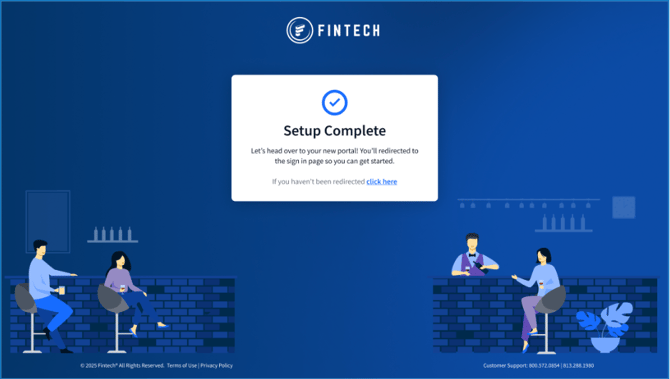
- Complete setup and access the new portal:
After You Migrate
Once setup is complete:
-
Be sure to test any workflows that rely on exported reports, as some report layouts have changed.
-
Admins will need to invite additional users through the Fintech Portal before they can access the account.
💡 If your organization has a parent and child companies, you can give users access to all companies, or only specific child companies. For more information, see How do I add, edit, or remove users? in the Fintech Portal Knowledge Base.
To invite users to the Fintech Portal:
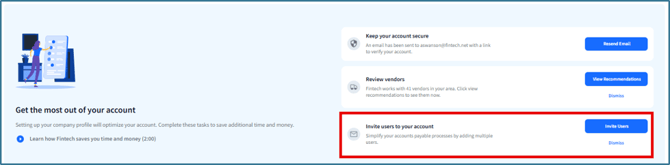
- Click Invite Users from the notification on the Home page:
- From Users, either:
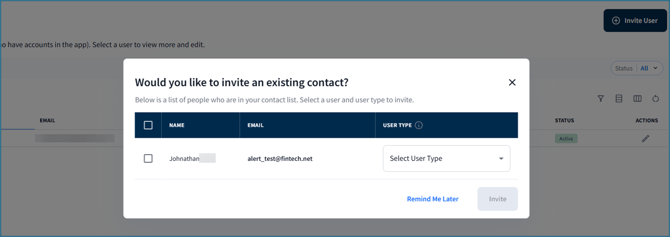
- Invite your contact list from the Legacy Portal and assign User Types using the prompt:
- Click Invite User to begin sending invitations if you did not have a contact list:

- Invite your contact list from the Legacy Portal and assign User Types using the prompt:
Invited users will receive an email with instructions on how to activate their account: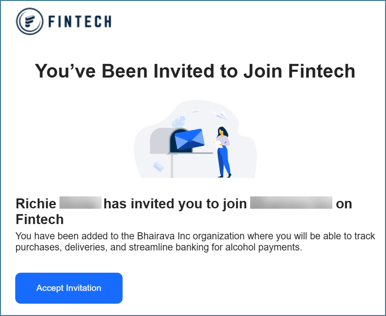
Support & Resources
Fintech will continue to provide resources and communications throughout the migration process. If you have any questions, contact Client Support: support@fintech.com.
You can also watch the Fintech Portal Showcase & Readiness Session below to view a migration demo and an overview of the most commonly used features in the Fintech Portal:
Frequently Asked Questions
Do I need to migrate?
Yes. Retailers will eventually only be able to access their account through the new Fintech Portal.
How long does setup take?
Most Admins complete setup in just 5 -10 minutes.
Will my workflows change?
Most core tasks remain the same, although some features and page layouts have been updated to provide a faster, more intuitive experience.
Will I lose access to historical data?
No. Your vendor relationships and 15 months of invoice and payment history will migrate automatically with your account. As part of ongoing portal enhancements, we expect to increase available history to 24 months by the end of the year.